Spreadsheets are not the enemy. For many window and door businesses, they are where a quoting process starts because they are familiar, flexible and inexpensive.
The problem begins when the business grows around the spreadsheet. More products, more pricing rules, more salespeople and more jobs can turn a once-simple file into something that has to carry far more responsibility than it was designed for.
If a window quoting spreadsheet is starting to slow the sales process down, create duplicated work or make professional presentation harder, it may be time to ask whether the business has outgrown manual quoting.
1. The Same Job Is Being Rebuilt in More Than One Place
A salesperson records the enquiry, creates a design elsewhere, enters prices into a spreadsheet, prepares a quotation and then passes information on again when the job moves to survey or order.
Each stage may work on its own, but every recreation creates another point where information can be missed, changed or interpreted differently.
Specialist WindowCAD window and door software is designed to keep design, visualisation, pricing, professional documents and project progression closer to the same sales journey.
2. Pricing Depends on One Person Knowing the Spreadsheet
Manual quoting can become fragile when the process depends on somebody knowing which cells to change, which formulas must not be touched and which version contains the latest prices.
That may be manageable for one person. It becomes harder when several salespeople need consistent commercial information or when prices and mark-ups change.
On WindowCAD plans with pricing features, pricing can sit alongside the frames being designed, with mark-ups applied by percentage or value. The business still controls its pricing decisions, but the process is less dependent on a separate spreadsheet being interpreted correctly every time.
3. The Quote Looks Like Admin Instead of Part of the Sale
A customer is not only reading the total at the bottom of a quotation. They are also judging the company behind it.
If the sales conversation feels professional but the follow-up is a basic spreadsheet printout or a manually assembled document, some of that impression can be lost.
WindowCAD can create professional documents customised with company branding and contact details. Where relevant, the document journey can extend beyond quotations to price requests, contracts and orders.
The WindowCAD quick start guide shows the basic route from creating a project and frame through to opening a document and printing it to PDF.
4. The Customer Sees a Price but Not Enough of What They Are Buying
A spreadsheet can calculate a number, but it does not automatically help the customer understand the frame styles, colours, finishes or configurations behind that number.
For a window and door salesperson, that matters because customers are making a visible change to a home they value. A stronger sales process helps them see what has been proposed, not just what it costs.
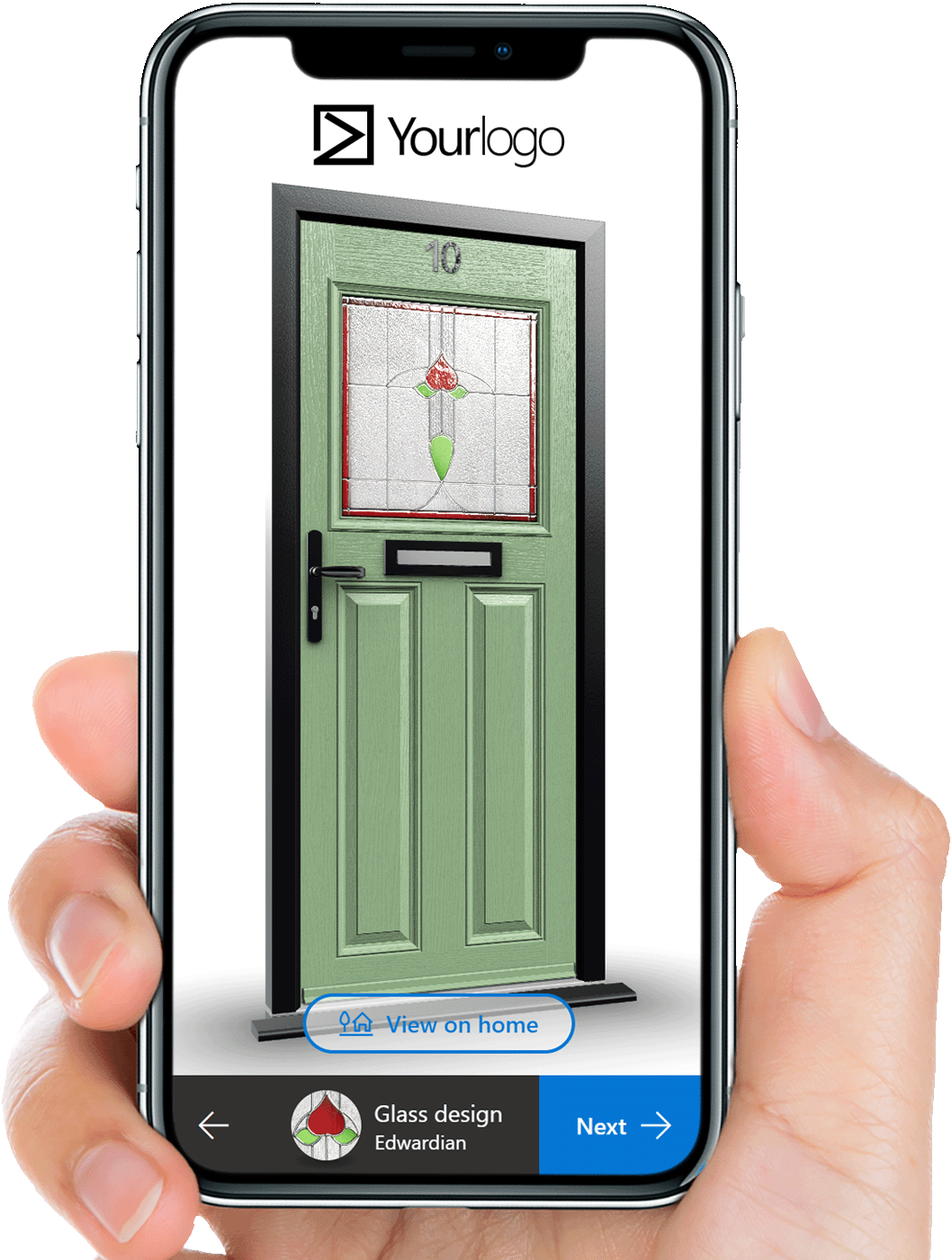
WindowCAD can create realistic 3D views and visualise frames on a customer's own home. The business benefit is a clearer sales conversation, where the price stays connected to something the customer can actually see and discuss.
5. Winning the Job Creates Another Round of Copying
If accepting a quotation means the office has to retype the project for survey, contract or order, the quoting process is only solving the first part of the job.
The customer has already said yes. What happens next should protect that confidence rather than make the business appear to be starting again.
WindowCAD can track projects from enquiry towards order and create a survey document on any plan. On selected plans, businesses can also use sales representative accounts or trade customer accounts to organise work for different users and customer types. For businesses involved in manufacturing, the wider workflow can also include cutting lists and glazing sizes for manufacturing.
6. More People Need the Information Than the Spreadsheet Was Built For
A spreadsheet often works best while one person owns it. As soon as sales representatives, surveyors, office staff or managers all need access, version control and consistency become more important.
WindowCAD runs in a browser on phones, tablets and computers, with unlimited users on unlimited devices. That makes the information available to the team without tying the sales process to one office computer or one local file.
What Moving Beyond Spreadsheets Should Actually Improve
Changing software only makes sense if it improves the way the business sells and progresses work. The goal is not to replace a spreadsheet because spreadsheets are old. It is to remove the points where a manual process is now getting in the way.
- keep design, pricing and customer information closer together
- present the business more professionally during and after the sales conversation
- give customers clearer visual context for what they are buying
- reduce repeated entry as a sold job moves towards survey and order
- give salespeople and other team members access to the same project journey
That is the point at which a window quoting spreadsheet has stopped being a simple tool and started becoming a limitation on the wider sales process.
Frequently Asked Questions
Can a spreadsheet still work for window and door quoting?
Yes. A simple spreadsheet can work well for a small or straightforward process. The issue is whether it still supports the way the business now sells, prices and hands projects over.
What is window quoting software?
Window quoting software is specialist software used to support pricing and quotation work for window and door projects. More connected systems can also link quoting with design, visualisation, project progression and later order stages.
When should a business move away from manual quoting?
A useful trigger is when duplicated entry, version control, inconsistent pricing or poor handovers begin affecting the sales process. The decision should be based on business need rather than company size alone.
Does specialist software replace the salesperson?
No. The salesperson still provides product knowledge, advice and the human sales conversation. The software should help them present the job clearly and professionally.
Outgrowing a Spreadsheet Is a Business Signal
Manual quoting is not automatically a problem. But when the business has to work around the spreadsheet, duplicate information or accept weaker sales presentation, it is worth reviewing whether the process still fits the company you have become.
You can compare WindowCAD plans or try WindowCAD free for 7 days to see how a more connected quoting and sales process could fit your business.