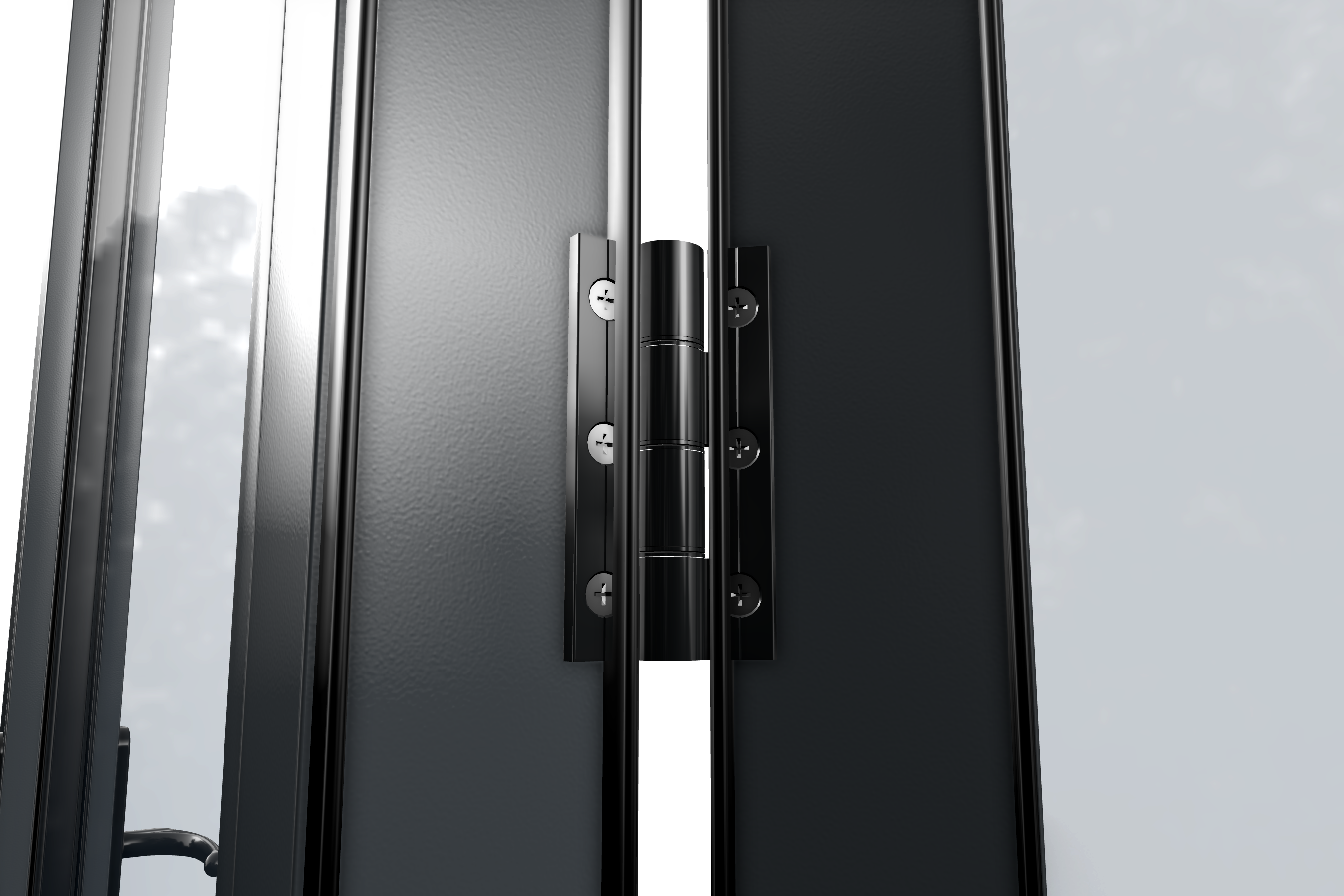
Up to now, WindowCAD 7 didn't show hinges on bifolds, because getting each one to open and fold convincingly in 3D was a big job to build. Now every standard bifold has them, opening just like the real thing, and your existing bifolds are brought up to date automatically.
Hinges that fold like the real thing
Every standard bifold now has articulated hinges down each crease, and the leaves fold in the right order, so when you open the door in 3D it folds just as a real bifold would. The pull hinge takes its place at the crease and the slave handle sits on the joining leaf, giving your customer a true-to-life preview and your workshop the right hardware.
Set it once, per product
Each bifold sash product carries its own hardware defaults. Open Settings → Products, choose your bifold, and go to the Hardware tab:
- Under Handles, choose a Default slave handle for the joining leaves.
- Under Hinges, choose a Default handle hinge, plus Default hinge double top if you hang four hinges.
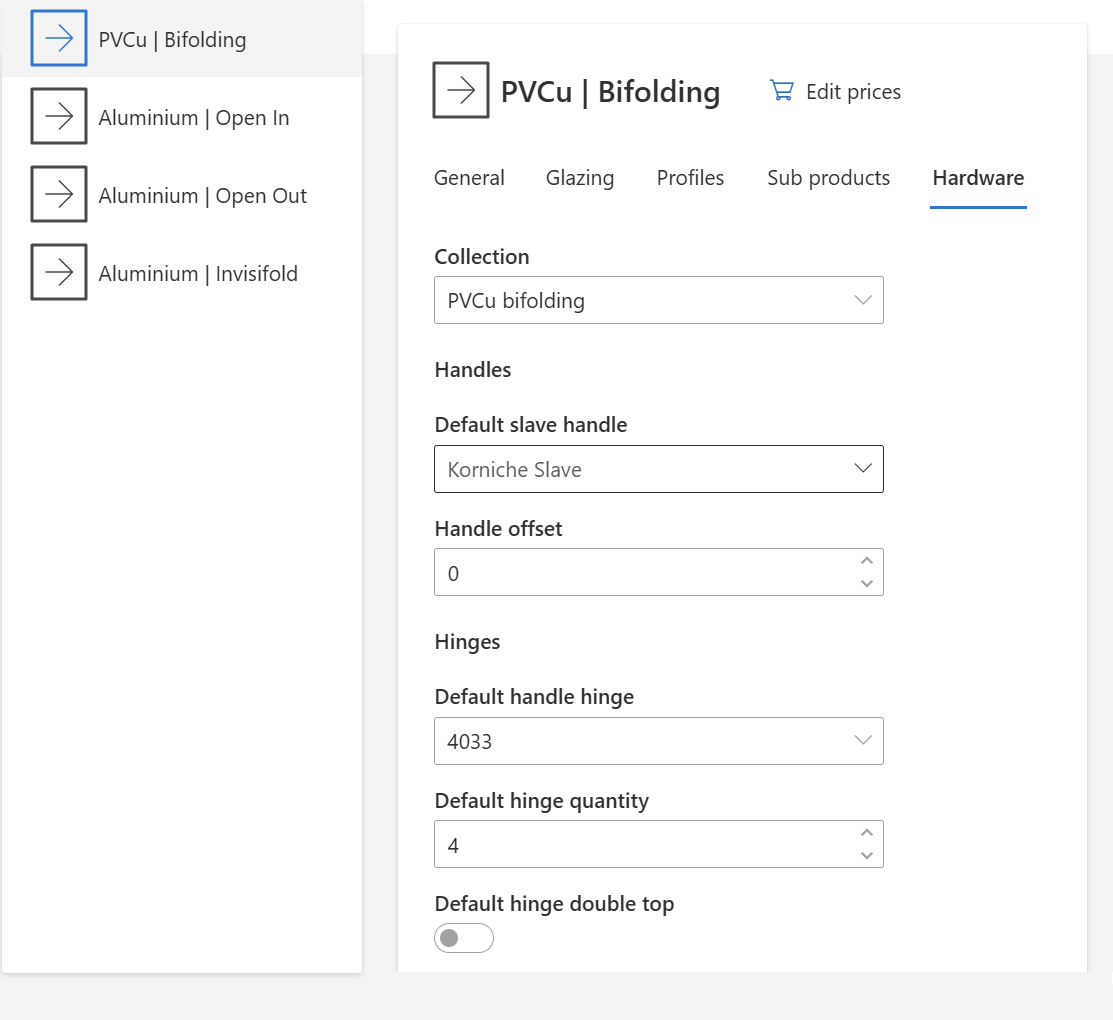
From then on, every new bifold on that product starts with the right hinges and handles. There is no need to add them leaf by leaf.
Consistent on every quote and order
Because the hinges and handles are built into the product, your 3D customer quote and your manufacturing data show exactly what you fit. Pick None on either the slave handle or the handle hinge and it stays None, so bespoke setups are respected.
Existing accounts updated automatically
If your bifolds didn't have hinges set up, WindowCAD 7 adds them and selects a sensible default the next time your products load. Bifolds that already have their hardware configured are left exactly as they are, and Invisifold bifolds are unaffected.
Nothing to do
The change applies on your next sign-in. Review the default slave handle and handle hinge on each bifold product to make sure they match what you fit, and you're set.